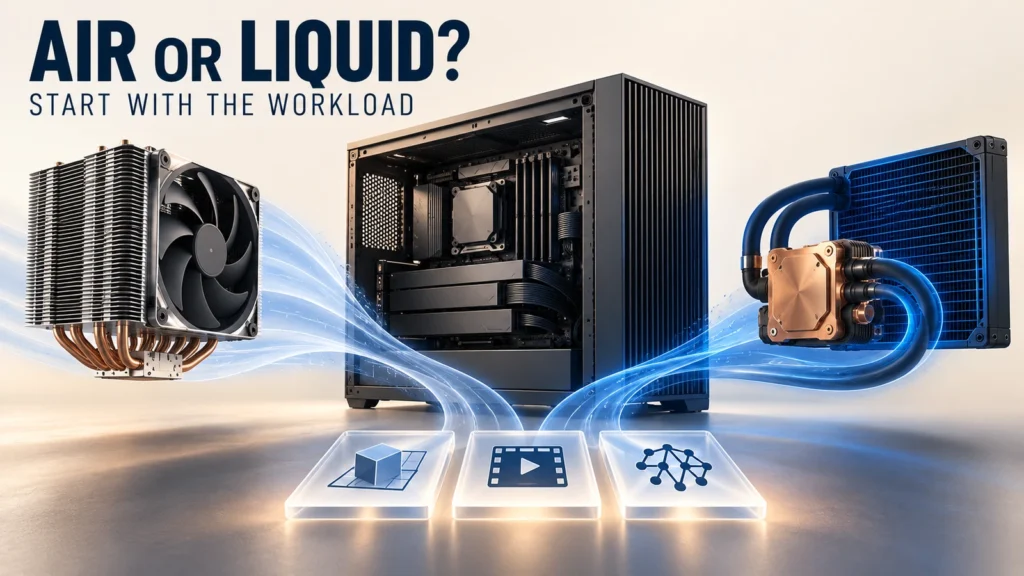
Moving a professional workstation to liquid cooling is worthwhile when a defined workload cannot meet its performance, temperature, acoustic or packaging requirements with a suitable air-cooled design—and a validated liquid-cooled configuration can close that gap at an acceptable ownership cost.
A high CPU temperature, a large processor rating or a short benchmark result is not enough to make the decision. First establish what is limiting the work. Then compare the complete workstation under the same application, power policy, room conditions and service expectations. A cooler processor is useful, but it is not automatically a faster or quieter workstation.
Identify the workload that needs a different cooling system
Start with the operation that costs the user time: a CPU render, simulation solve, compilation job, video export, model-training run or interactive task. Record which hardware performs that operation and what the application is waiting for. A GPU-bound job may gain little from a CPU-only cooling change. A memory-capacity or storage bottleneck also remains after the CPU temperature falls.
Duration matters. Brief bursts can finish before the cooling system reaches its sustained operating condition. Repeated jobs or concurrent CPU/GPU work may expose a different limit once the chassis and cooling loop are warm. Use the actual job sequence, including idle intervals if they are part of normal operation, rather than treating a software label such as “CAD workstation” as a thermal specification.
Swipe the table horizontally to compare all columns.
| Work pattern | What to observe | Implication for a cooling comparison |
|---|---|---|
| Short interactive bursts | Response time, utilization and temperature recovery between tasks. | A larger cooler may add little business value if the existing design already meets the response and noise targets. |
| Sustained CPU-heavy work | Completed work over time, processor power, temperature and thermal-limit indicators. | Worth testing another cooling approach if thermal limits prevent the agreed sustained performance. |
| GPU-heavy work with light CPU activity | GPU utilization and limits, GPU temperature, enclosure airflow and CPU headroom. | A CPU liquid loop is not a direct remedy for a GPU or application bottleneck. |
| Concurrent CPU and GPU work | Both device loads, local inlet temperatures, fan behavior and other component temperatures. | Evaluate the whole enclosure: relocating CPU heat can change the air available to the GPU and other devices. |
| Acoustically sensitive work | Task performance at the allowed noise condition, including pump tones and changing fan speed. | The relevant comparison is usable performance at the acoustic target, not simply the lowest CPU temperature. |
This is an evaluation framework, not a claim that every renderer or engineering application produces the same load.
Confirm whether the limit is thermal
Inspect available platform telemetry alongside application performance: temperature, power, effective clocks, utilization and the reported limiting reason. A clock reduction alone does not establish overheating. Power or current limits, instruction mix and software behavior can also affect frequency.
Intel's Xeon W guidance for AVX workloads explains that these workloads can be constrained by processor power characteristics as well as temperature. Improved cooling does not promise unrestricted frequency. Compare each candidate using the intended, supported power policy; otherwise a power-setting change may be mistaken for a cooling improvement.
Before replacing the architecture, inspect the present installation. Check cooler compatibility, contact and mounting, thermal interface material, fan operation, filters and ventilation. Intel's thermal-throttling troubleshooting guidance identifies these checks for the processors it covers. A loose mount or blocked air path calls for correction and retesting before a new design is justified.
Do not apply one vendor's temperature threshold to all processors. Use the applicable hardware limits and your system acceptance conditions. A design can also be unacceptable because it exceeds the permitted noise level even while remaining within its component temperature limits.
Understand what liquid cooling changes—and what it still needs
An air cooler transfers processor heat into a nearby fin stack and then into chassis air. A liquid module moves heat from a contact block through coolant to a radiator, allowing the heat-rejection surface to occupy another suitable location. This can resolve a local packaging constraint, but the radiator still needs airflow in a liquid-to-air workstation.
Moving the radiator does not remove the room's cooling load. If both configurations reject heat into the same room, the workstation's electrical input still ultimately becomes heat there, apart from energy leaving through other defined paths. A lower processor temperature can reflect a better heat-transfer path without a lower room heat load. Record system power if energy use or office cooling is part of the purchase decision.
Where the heat goes
Processor → contact interface → fin stack
↓ Local fan airflow → chassis exhaust → room
Processor → cold plate → coolant → radiator
↓ Radiator airflow → chassis/room air → room cooling
The physical trade is useful only if the new location has adequate area, clearance and airflow. A radiator mounted behind a restrictive panel, or fed with preheated air, can limit the result. Radiator position also affects nearby components: an intake radiator may warm air entering the enclosure, while an exhaust location may receive air already heated by internal hardware. Evaluate the chosen arrangement with the actual CPU/GPU load combination rather than declaring one orientation universally best.
Pump behavior, fan control, vibration, tubing and service access become part of the design. Puget Systems' workstation hardware overview describes the basic air-cooler and AIO arrangements and their additional components. It does not establish a performance, noise or failure-rate result for your proposed workstation.
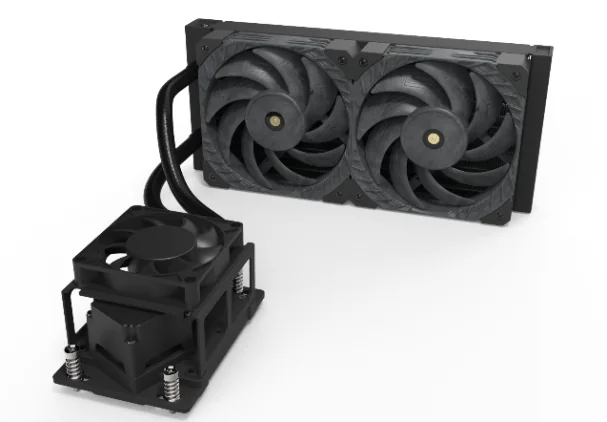
For mechanical integration after the architecture decision, our workstation module design guide covers the files and interfaces needed for a module project.
Compare complete systems under controlled conditions
Define the decision before testing. For example: keep the required sustained render throughput while meeting an agreed acoustic condition, or fit the processor cooling solution into a constrained enclosure without compromising neighboring devices. Set the required result before seeing which candidate performs better.
For a cooling comparison, hold the platform and application baseline constant: CPU/GPU, memory, firmware, drivers, power settings, project file and output quality. Document any unavoidable changes, including fan configuration. If a different chassis is essential to one design, the result is a comparison of complete configurations, not evidence that the cooler alone caused the difference.
Record inlet-air and ambient conditions. Test the intended warm operating state as well as relevant transitions, and repeat runs to understand normal variation. Microsoft's PC thermal design guide discusses workload, environment and thermal steady state. It supports the need for representative conditions; it is not a workstation-specific test standard or a substitute for your acceptance plan.
Swipe the table horizontally to compare all columns.
| Record | Why it changes the decision |
|---|---|
| Application output and elapsed time | Shows whether the cooling change improves useful work, with identical output settings. |
| Sustained component temperatures and limiting reasons | Distinguishes temperature management from a power, software or other bottleneck. |
| CPU/GPU power and control state | Helps identify a changed power policy or fan/pump profile that would make the comparison unequal. |
| Complete-system acoustics | Includes radiator fans, case fans and pump behavior at the defined operating point. |
| Memory, VRM, storage and GPU temperatures as relevant | Checks that improving the CPU did not create another thermal constraint. |
| Mechanical and maintenance observations | Reveals obstructed connectors, tight bends, difficult replacement or loss of access. |
State the acoustic measurement distance, microphone position, background condition, room setup and workload. Comparing fan noise measured at one distance with a full workstation measured at another is not a valid acceptance comparison. For user comfort, listen for tonal pump noise and repeated speed changes as well as recording the agreed sound metric; equal overall levels can have different audible character.
Two comparisons are especially useful. At the same supported power policy, compare sustained performance, temperatures and noise. Separately, at an agreed acoustic target, compare the performance each configuration can maintain. Do not silently combine the best temperature from one operating profile with the quietest result from another.
Turn the result into a purchase decision
Use the completed job, acceptable environment and service obligation as the decision criteria. If air cooling meets them, retaining it can be the appropriate choice. If it fails after installation issues are corrected, evaluate whether the proposed liquid configuration fixes the specific failure without creating a larger integration or maintenance burden.
Here is a hypothetical comparison, not a ThermalBro benchmark. Assume identical hardware, output settings, supported power limits and test conditions. An air-cooled configuration completes a repeated render in 40 minutes; a liquid-cooled candidate completes it in 36 minutes. The candidate reduces elapsed time by 4 minutes, or 10%. Its theoretical continuous throughput is about 11.1% higher because 40 ÷ 36 ≈ 1.111. Those are different metrics.
Before assigning value to that improvement, confirm that it exceeds run-to-run variation, output quality is unchanged, both systems meet the acoustic requirement, and telemetry supports the proposed explanation. If the faster result came from a higher power limit, it demonstrates the combined configuration change, not cooling alone. If the workstation spends most of its day on other tasks, a render-only percentage should not be advertised as the user's overall productivity gain.
For a practical budget discussion, estimate the number of affected jobs and how saved machine time changes the workflow. Unattended overnight time is not automatically billable labor saved. Include the cooling hardware, integration engineering, validation, service stock and expected downtime arrangements. Use actual supplier quotations and your support model; do not insert an assumed universal payback period.
Check serviceability before committing to production
Air cooling still needs cleaning, fan inspection and replacement planning. A liquid system adds a pump and a fluid circuit whose service requirements depend on the construction. A factory-sealed module and a custom serviceable loop should not share an assumed refill or replacement policy. Request the applicable instructions, warranty terms and allowed service actions for the supplied configuration.
Walk through a realistic repair: remove the side panel, access the failed assembly, disconnect only the approved interfaces, replace the part and restore the specified checks. Check whether that operation obstructs memory, expansion cards or power connectors and whether it requires skills or tools unavailable to your service team. Also evaluate the intended transport configuration and restraints; bench operation does not prove shipping suitability.
Ask who owns detection and response to a pump or fan fault. The plan should identify the monitored signal, threshold owner and system action, such as an approved power reduction or shutdown. These details belong to the system design and cannot be inferred from the presence of PWM or speed-feedback wires alone. Any abnormal-state test should follow a controlled validation procedure.
This review can change the buying decision even when the thermal result is good. A small performance gain may not justify a service arrangement the operator cannot support. Alternatively, a well-defined replaceable module and suitable spare-stock plan may make a liquid configuration practical for a production workstation fleet.
Choose a module project or an integrated workstation project
Choose the scope according to the engineering work you need supplied. If your team owns the chassis, hardware integration and complete-system controls, a workstation liquid cooling module can be evaluated within that architecture. Provide the board and chassis revisions, heat-source layout, measured workload, available radiator space, airflow and acceptance targets.
If the cooling loop, enclosure and agreed hardware configuration must be coordinated together, review an integrated workstation liquid cooling system. Define the supplied BOM and the customer-provided hardware explicitly. “Integrated” does not automatically mean every processor, GPU, software component or validation service is included.
ThermalBro can review the documented cooling hardware and engineering scope. The comparison still needs evidence from the actual workstation configuration. Our testing and reliability page explains why agreed module checks and final system validation are separate steps.
Questions before changing workstation cooling
Is there a wattage at which liquid cooling becomes mandatory?
There is no universal cutoff for every workstation. Heat-source area, contact, chassis space, inlet conditions, acoustic targets and the actual cooler configuration matter alongside power. Use the hardware requirements and a complete-system evaluation rather than a generic wattage rule.
Will a liquid-cooled workstation necessarily be quieter?
No. Radiator fans, case fans, pump noise, vibration and their control profiles all contribute. Compare the complete configurations while delivering the required work under the same acoustic test conditions.
Should a hot CPU be converted to liquid cooling immediately?
First check the applicable limits, installation and airflow, then confirm whether the condition affects the required performance or noise target. Correcting contact or ventilation can be the appropriate first action; a temperature number alone does not establish the need for a different architecture.