Skip to content
Professional Workstations

Liquid Cooling Solutions for Professional Workstations

We supply cooling modules and integrated cooling systems for OEM workstations used in engineering, rendering, simulation and AI. We develop the cooling assembly around the specified hardware, chassis, noise target and maintenance requirements.

Discuss Workstation Cooling
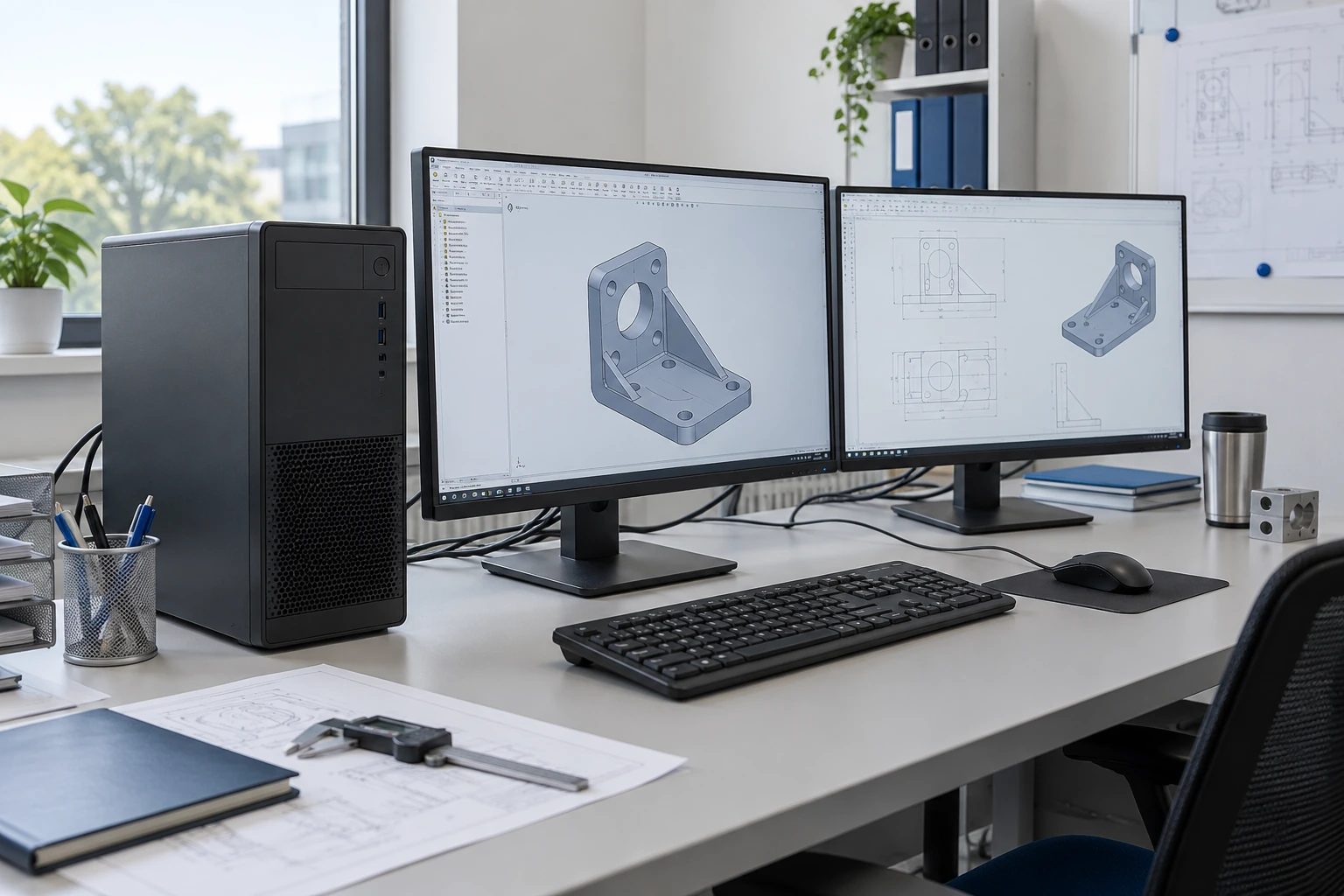
Illustration of an engineering workstation with a tower PC and CAD monitors

Cooling for Sustained Workloads and Quiet Operation

Hours of rendering or simulation place different demands on cooling than a short benchmark. We consider sustained heat load alongside pump and fan noise, installation space and the intended environment.

PERFORMANCE

Workload and hardware

CPU, GPU or multi-GPU configuration, concurrent use, sustained duty and acceptable operating behavior.

ACOUSTICS

Measurement conditions

Operating mode, pump and fan control, position, distance, background and pass criteria.

ENVIRONMENT

Use and transport

Ambient range, dust, orientation, office or industrial setting, movement and packaging conditions.

SERVICE

User and technician actions

Access, replaceable hardware, filling or drainage boundary, spares and return-to-service checks.

Choose a Workstation Module or an Integrated Cooling System

A module is integrated into your workstation design. An integrated cooling system includes a broader set of cooling components, with the supplied configuration agreed before development.
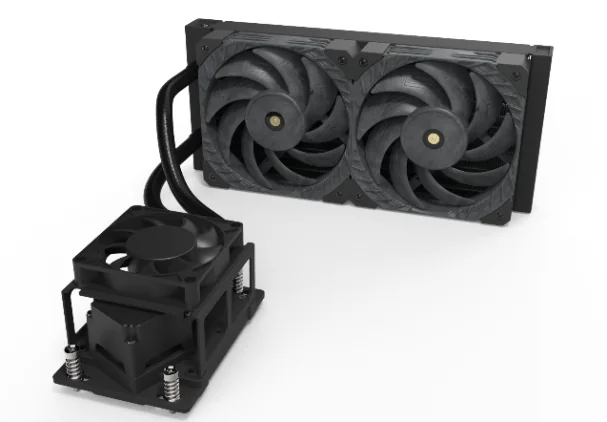
ThermalBro workstation liquid cooling module

Workstation Liquid Cooling Module

A cooling assembly matched to your processor platform, for installation in the workstation chassis and hardware configuration your team provides.
  • Customer-owned chassis and computing hardware
  • Agreed CPU/GPU contact and loop boundary
  • OEM-led complete-system validation
Review workstation modules
ThermalBro integrated workstation liquid cooling system

Integrated Workstation Cooling System

A coordinated cooling system for an agreed workstation configuration, with loop layout, chassis interfaces and service access considered together.

  • Cooling components specified as one assembly
  • Cooling, chassis and service decisions coordinated
  • Supplied hardware and system tests agreed in advance
Review integrated workstation systems
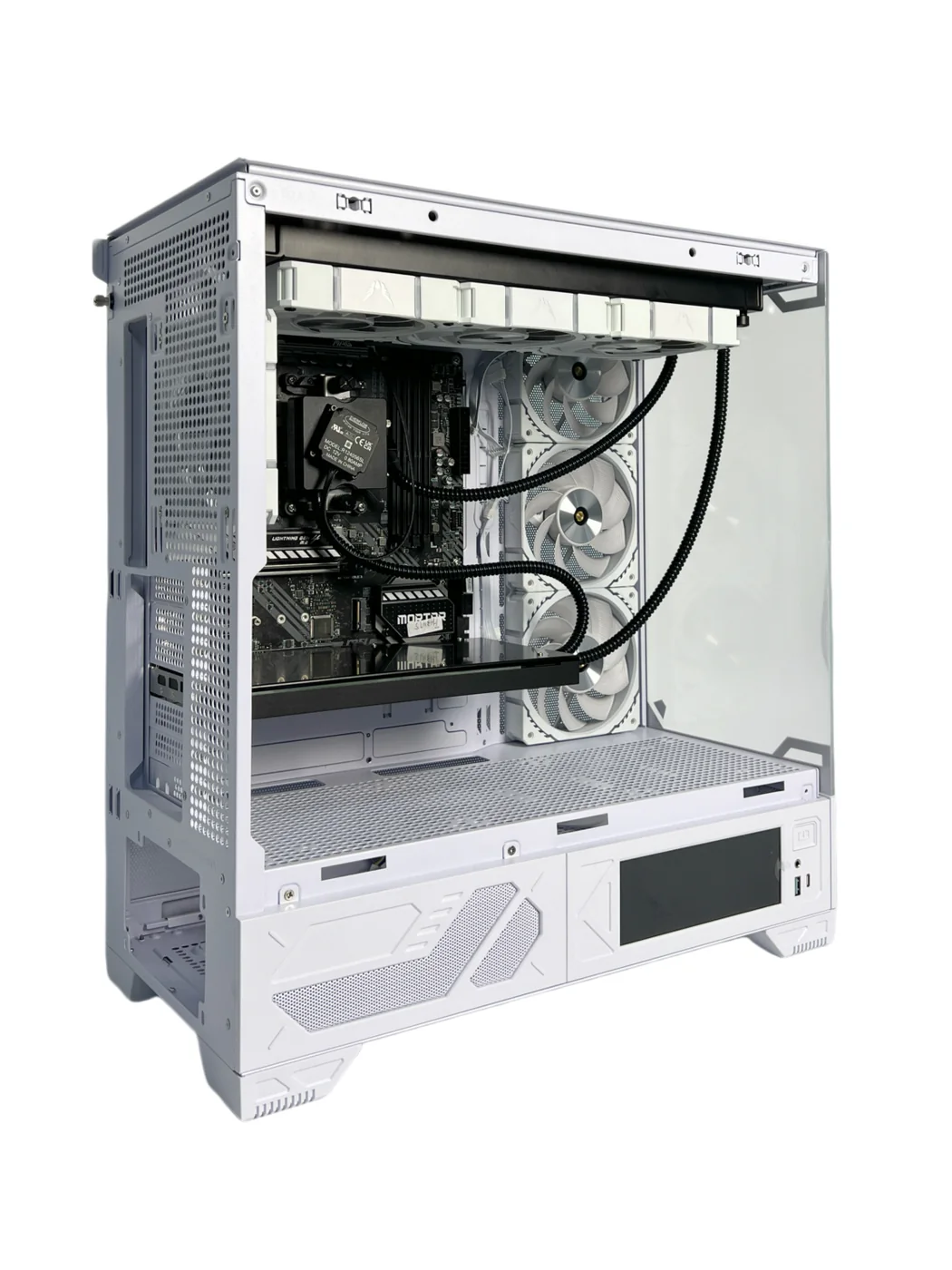
Workstation liquid cooling loop layout for integration review

Chassis Fit, Airflow and Service Access

We check radiator space, tube routing and access to replaceable parts. Memory, storage and power components still need suitable airflow even when the CPU or GPU is liquid cooled.

  1. Confirm the radiator, fan, pump, tube and connector envelope.
  2. Preserve residual airflow for memory, storage, VRM and power components.
  3. Define installation and replacement access for GPUs, memory and storage.
  4. Support tubing and connections for operating and transport orientations.
  5. Separate user actions from trained-service or factory actions.
  6. Link every chassis and hardware revision to the approved cooling configuration.

Thermal, Acoustic and Transport Testing

We agree the tests required for the supplied cooling hardware. Workload, ambient temperature, pump/fan settings and measurement method must be recorded to make results useful.
TEST CONDITIONS: WORKLOAD · AMBIENT TEMPERATURE · CPU/GPU CONFIGURATION · PUMP/FAN SETTINGS · MEASUREMENT METHOD
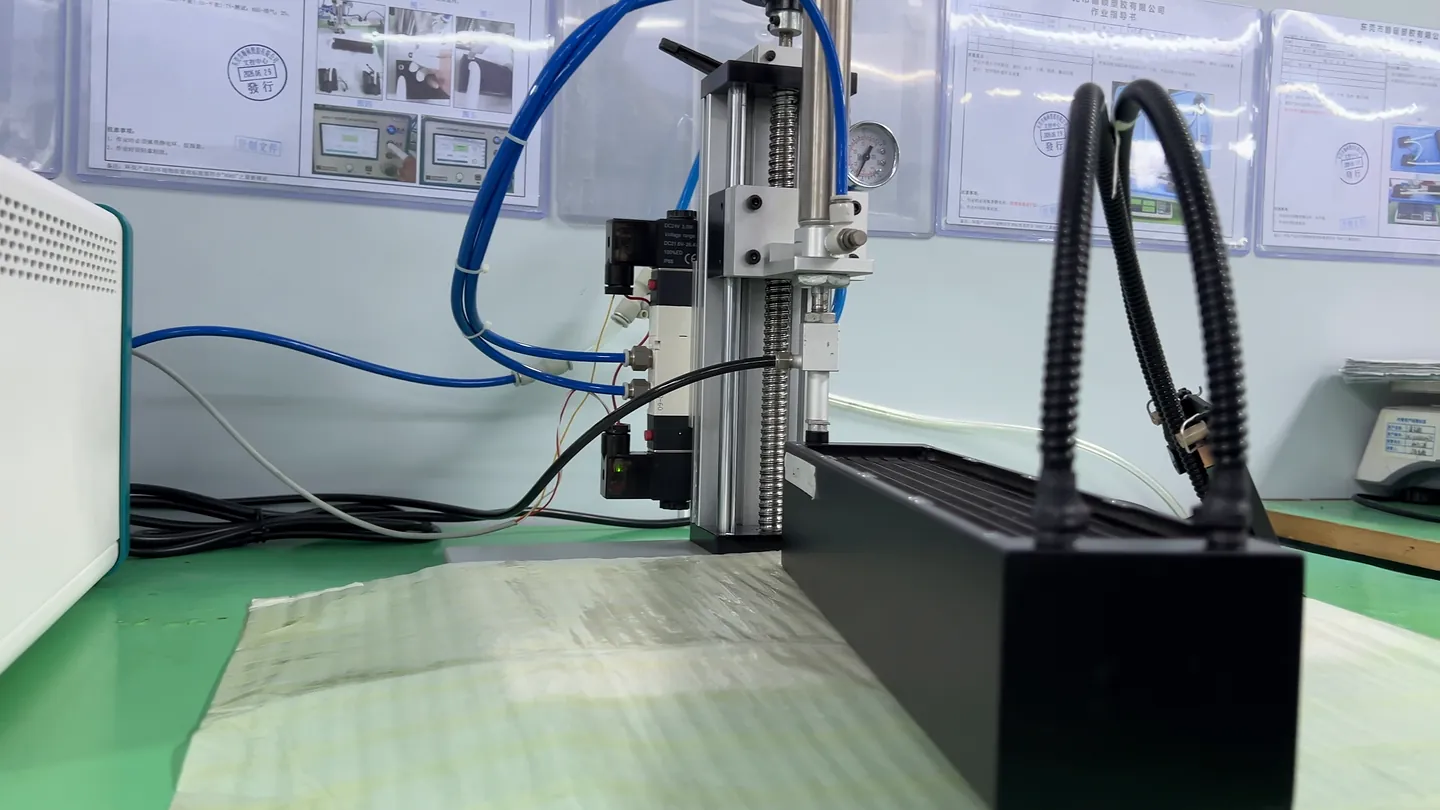
Side view of a liquid cooling module connected to air leak test equipment.

Module and loop

Check fit, assembly, sealing and the functions agreed for the cooling module or loop.
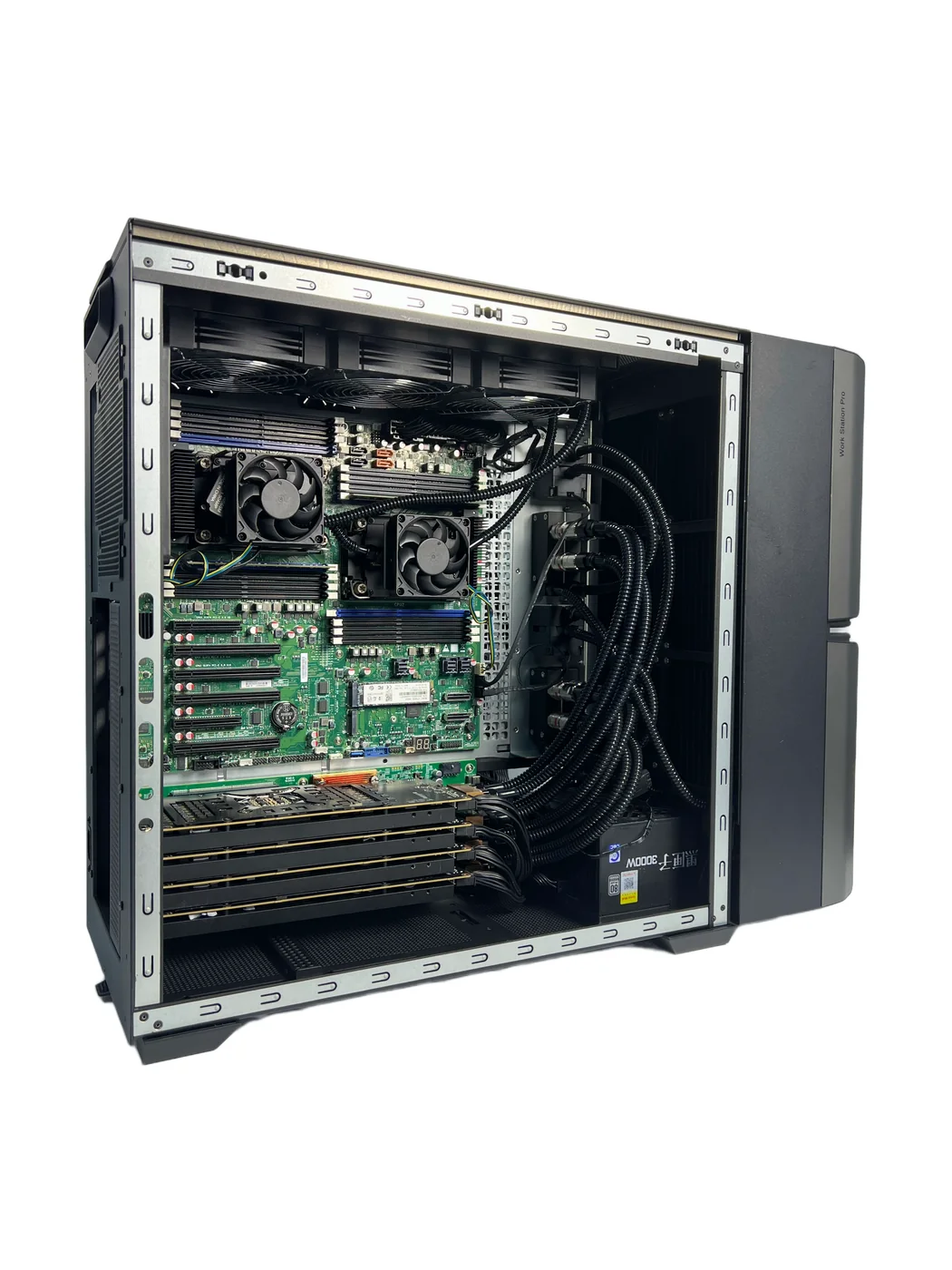
Interior of a ThermalBro integrated liquid-cooled workstation

Workload and acoustics

Temperature, performance and noise on the exact system under representative operation.

ThermalBro drop test equipment used for project-defined packaging tests

Delivery and service

Project-defined packaging, transport, unpacking, installation and return-to-service checks.

Production Configurations and Replacement Parts

Keep the processor, board, chassis and cooling assembly linked to the same approved specification. This helps repeat orders and replacement parts match the workstation being supplied.

Component or assemblySpecification to recordWhen the design changes
Workstation SKUCPU/GPU, board, chassis and cooling optionReview affected fit, workload and service conditions
Cooling assemblyDrawing, BOM, tube route, connections and controlsAssess interchangeability; update instructions and tests
Service partsApproved replaceable assembly, packaging and labelMatch the exact customer configuration
PROTOTYPE

Answer fit, loop, workload and acoustic questions.

PILOT

Confirm assembly, test, packaging and service instructions.

PRODUCTION

Build to the approved specification and check the impact of later component changes.

Professional Workstation Cooling FAQ

Answers about choosing a module or system, testing noise and planning maintenance.

When should an OEM choose a workstation module instead of an integrated cooling system?
Choose a module if your team is designing and validating the complete workstation. Choose an integrated cooling system when you need more of the cooling loop supplied as a coordinated assembly. The included hardware is agreed for each project.
Can one workstation cooling solution support several GPUs?
We can evaluate multi-GPU cooling. Card spacing, the exact PCB revisions, combined heat load, flow distribution and service access determine whether a shared loop or separate assemblies are suitable.
How should workstation noise targets be defined?
Define workload, operating mode, ambient, pump and fan control, measurement position, distance, background noise and acceptance criteria.
Can ThermalBro develop around an existing customer chassis?
Yes, subject to review of the exact chassis, motherboard, GPU, envelope, radiator and fan locations, routing, service access and validation responsibilities.
How are transport and delivery conditions reviewed?
The project can define orientation, connection support, vibration or drop requirements, packaging, residual-fluid condition, unpacking and post-delivery checks.
Who is responsible for filling, service and field maintenance?
Filling and maintenance responsibilities depend on the supplied assembly. We agree which actions are performed by ThermalBro, your assembly team or a trained service technician before supply.
How do professional workstation and gaming PC cooling requirements differ?
Professional workstations often prioritize long-duration loads, predictable acoustics and service access. Gaming PC programs may place more emphasis on enclosure size, appearance and frequent hardware updates. The actual operating conditions determine the design.

Discuss Your Workstation Configuration

Share the chassis layout and intended workloads. We can help choose between a cooling module and an integrated cooling system, then define the prototype requirements.

  • CPU, GPU and multi-GPU configuration
  • Sustained workload and temperature goals
  • Chassis CAD and cooling-space limits
  • Acoustic method and environment
  • Transport, maintenance and supplied hardware
  • Expected quantity and test requirements
Request a Workstation Cooling Review